
Lab Link: https://www.skills.google/course_templates/656/labs/600980
Challenge scenario
Use BigQuery to load the data from the Cloud Storage bucket, write and execute queries in BigQuery, analyze soccer event data. Then use BigQuery ML to train an expected goals model on the soccer event data and evaluate the impressiveness of World Cup goals.
Preparation: Open Cloud Shell
1. Open the Google Cloud Console in an Incognito/Private window using your lab credentials.
2. Click the Activate Cloud Shell.
3. If prompted, click Continue.
4. Once the terminal loads, set your project ID as a variable.
export PROJECT_ID=$(gcloud config get-value project)Task 1: Data Ingestion
We need to create a BigQuery dataset named soccer and load several JSON and CSV files from a public Google Cloud Storage bucket into tables.
1. Create the soccer dataset.
bq mk soccer2. Load the data into their respective tables by pasting this block of commands into Cloud Shell. Replace table name follow the lab specific.
bq load --autodetect --source_format=NEWLINE_DELIMITED_JSON $PROJECT_ID:soccer.[TABLE_NAME] gs://spls/bq-soccer-analytics/events.json

bq load --autodetect --source_format=CSV $PROJECT_ID:soccer.[TABLE_NAME] gs://spls/bq-soccer-analytics/tags2name.csv
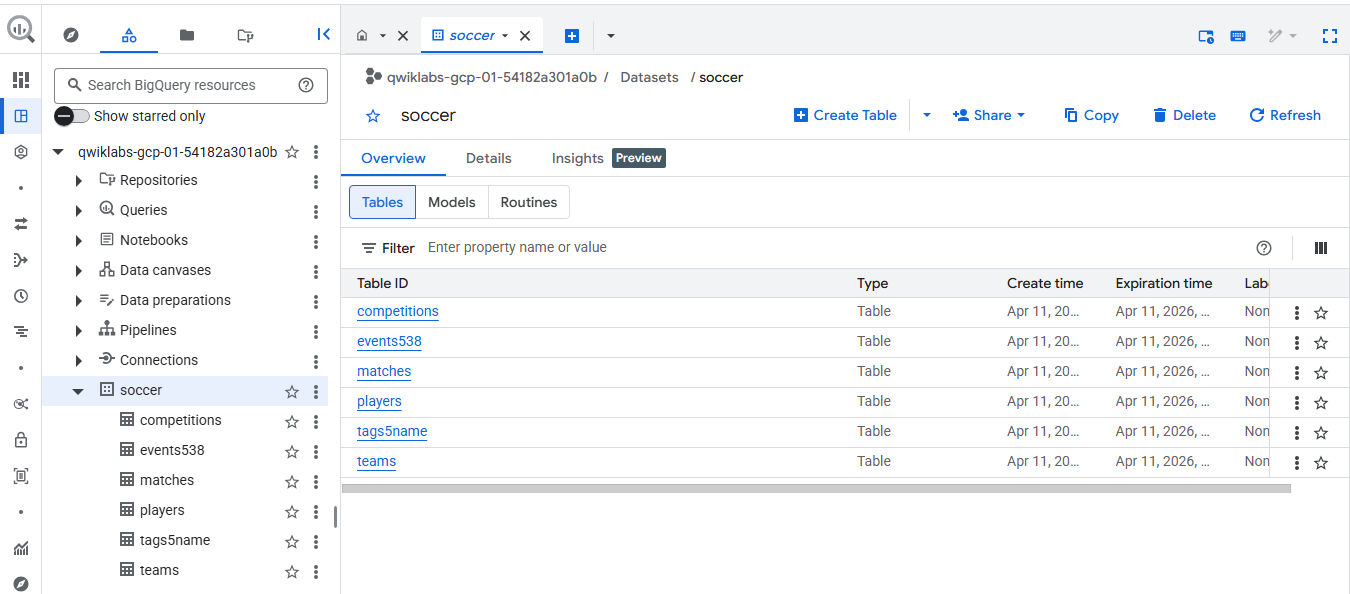
We can go to big data to view the source of table that loaded.
Task 2: Analyze soccer data
We need to write a query that calculates the penalty kick success rate for players who have attempted at least 5 penalty kicks.
Run this command in Cloud Shell to execute the query and save it to BigQuery's history. Change table name to match event table name that lab specific.
bq query --use_legacy_sql=false \
"SELECT
  playerId,
  (Players.firstName || ' ' || Players.lastName) AS playerName,
  COUNT(id) AS numPKAtt,
  SUM(IF(101 IN UNNEST(tags.id), 1, 0)) AS numPKGoals,
  SAFE_DIVIDE(
    SUM(IF(101 IN UNNEST(tags.id), 1, 0)),
    COUNT(id)
  ) AS PKSuccessRate
FROM
  \`soccer.[EVENT_TABLE_NAME]\` Events
LEFT JOIN
  \`soccer.players\` Players ON Events.playerId = Players.wyId
WHERE
  eventName = 'Free Kick' AND
  subEventName = 'Penalty'
GROUP BY
  playerId, playerName
HAVING
  numPkAtt >= 5
ORDER BY
  PKSuccessRate DESC, numPKAtt DESC;"
Task 3: Gain insight by analyzing soccer data
We need to analyze shot distances and calculate the probability of a shot becoming a goal based on its distance from the net.
Run this command in Cloud Shell. Change table name to match event table name that lab specific.
bq query --use_legacy_sql=false \
"WITH Shots AS (
  SELECT
    *,
    /* 101 is the known Tag for 'goals' from goals table */
    101 IN UNNEST(tags.id) AS isGoal,
    /* Translate 0-100 (x,y) coordinate-based distances to absolute positions using pitch dimensions of 105x68 before combining in 2D distance calc */
    SQRT(
      POW(
        (100 - positions[ORDINAL(1)].x) * 105/100,
        2) +
      POW(
        (50 - positions[ORDINAL(1)].y) * 68/100,
        2)
    ) AS shotDistance
  FROM
    \`soccer.[EVENT_TABLE_NAME]\`
  WHERE
    /* Includes both 'open play' and free kick shots (including penalties) */
    eventName = 'Shot' OR
    (eventName = 'Free Kick' AND subEventName IN ('Free kick shot', 'Penalty'))
)
SELECT
  ROUND(shotDistance, 0) AS ShotDistRound0,
  COUNT(*) AS numShots,
  SUM(IF(isGoal, 1, 0)) AS numGoals,
  AVG(IF(isGoal, 1, 0)) AS goalPct
FROM
  Shots
WHERE
  shotDistance <= 50
GROUP BY
  ShotDistRound0
ORDER BY
  ShotDistRound0;"
Task 4: Create a regression model using soccer data
We need to create a Logistic Regression model to predict "Expected Goals" (xG) based on the shot distance and shot angle. First, we must create two User-Defined Functions (UDFs) to handle the math, and then train the model.
1. Create the UDFs and the Model by running this large command block in Cloud Shell. The lab will provide the function of GetShotDistanceToGoal and GetShotAngleToGoal. Include the require model name xg_logistic_reg_model. (Don't forgot and follow the lab instruction.) Replace function by function and model name from the lab to complete this task.
bq query --use_legacy_sql=false \
"CREATE FUNCTION \`soccer.GetShotDistanceToGoal538\`(x INT64, y INT64)
RETURNS FLOAT64
AS (
 /* Translate 0-100 (x,y) coordinate-based distances to absolute positions */
 SQRT(
   POW((100 - x) * 100/100, 2) +
   POW((55 - y) * 67/100, 2)
 )
);

CREATE FUNCTION \`soccer.GetShotAngleToGoal538\`(x INT64, y INT64)
RETURNS FLOAT64
AS (
 SAFE.ACOS(
   /* Have to translate 0-100 (x,y) coordinates to absolute positions using
   "average" field dimensions of 100x67 before using in various distance calcs */
   SAFE_DIVIDE(
     ( /* Squared distance between shot and 1 post, in meters */
       (POW(100 - (x * 100/100), 2) + POW(33.5 + (7.32/2) - (y * 67/100), 2)) +
       /* Squared distance between shot and other post, in meters */
       (POW(100 - (x * 100/100), 2) + POW(33.5 - (7.32/2) - (y * 67/100), 2)) -
       /* Squared length of goal opening, in meters */
       POW(7.32, 2)
     ),
     (2 *
       /* Distance between shot and 1 post, in meters */
       SQRT(POW(100 - (x * 100/100), 2) + POW(33.5 + 7.32/2 - (y * 67/100), 2)) *
       /* Distance between shot and other post, in meters */
       SQRT(POW(100 - (x * 100/100), 2) + POW(33.5 - 7.32/2 - (y * 67/100), 2))
     )
    )
  /* Translate radians to degrees */
  ) * 180 / ACOS(-1)
 )
;

CREATE MODEL \`soccer.xg_logistic_reg_model_538\`
OPTIONS(
 model_type = 'LOGISTIC_REG',
 input_label_cols = ['isGoal']
) AS
SELECT
 Events.subEventName AS shotType,
 /* 101 is known Tag for 'goals' from goals table */
 (101 IN UNNEST(Events.tags.id)) AS isGoal,
 \`soccer.GetShotDistanceToGoal538\`(Events.positions[ORDINAL(1)].x,
   Events.positions[ORDINAL(1)].y) AS shotDistance,
 \`soccer.GetShotAngleToGoal538\`(Events.positions[ORDINAL(1)].x,
   Events.positions[ORDINAL(1)].y) AS shotAngle
FROM
 \`soccer.events538\` Events
LEFT JOIN
 \`soccer.matches\` Matches ON Events.matchId = Matches.wyId
LEFT JOIN
 \`soccer.competitions\` Competitions ON Matches.competitionId = Competitions.wyId
WHERE
 /* Filter out World Cup matches for model fitting purposes */
 Competitions.name != 'World Cup' AND
 (eventName = 'Shot' OR (eventName = 'Free Kick' AND subEventName IN ('Free kick shot', 'Penalty')));"
(Note: BigQuery ML models take about 2-4 minutes to train. Wait for the command prompt to return before moving on)
Task 5: Make predictions from new data with the BigQuery model
Finally, we need to use the xg_logistic_reg_model we just trained to predict the probability of a goal for the World Cup data.
Run this command in Cloud Shell. Don't forgot to check the function names, model name, and table name that the lab specific from previous tasks.
bq query --use_legacy_sql=false \
"SELECT
 predicted_isGoal_probs[ORDINAL(1)].prob AS predictedGoalProb,
 *
FROM
 ML.PREDICT(
   MODEL \`soccer.xg_logistic_reg_model_538\`,
   (
    SELECT
      Events.playerId,
      (Players.firstName || ' ' || Players.lastName) AS playerName,
      Teams.name AS teamName,
      CAST(Matches.dateutc AS DATE) AS matchDate,
      Matches.label AS match,
      CASE
        WHEN Events.matchPeriod = '1H' THEN 0
        WHEN Events.matchPeriod = '2H' THEN 45
        WHEN Events.matchPeriod = 'E1' THEN 90
        WHEN Events.matchPeriod = 'E2' THEN 105
        WHEN Events.matchPeriod = 'P' THEN 120
        ELSE 0
      END + CAST(CEIL(Events.eventSec / 60) AS INT64) AS matchMinute,
      Events.subEventName AS shotType,
      (101 IN UNNEST(Events.tags.id)) AS isGoal,
      \`soccer.GetShotDistanceToGoal538\`(Events.positions[ORDINAL(1)].x,
          Events.positions[ORDINAL(1)].y) AS shotDistance,
      \`soccer.GetShotAngleToGoal538\`(Events.positions[ORDINAL(1)].x,
          Events.positions[ORDINAL(1)].y) AS shotAngle
    FROM
      \`soccer.events538\` Events
    LEFT JOIN
      \`soccer.matches\` Matches ON Events.matchId = Matches.wyId
    LEFT JOIN
      \`soccer.competitions\` Competitions ON Matches.competitionId = Competitions.wyId
    LEFT JOIN
      \`soccer.players\` Players ON Events.playerId = Players.wyId
    LEFT JOIN
      \`soccer.teams\` Teams ON Events.teamId = Teams.wyId
    WHERE
      Competitions.name = 'World Cup' AND
      (eventName = 'Shot' OR (eventName = 'Free Kick' AND subEventName IN ('Free kick shot', 'Penalty')))
   )
 )
ORDER BY
  predictedgoalprob DESC;"
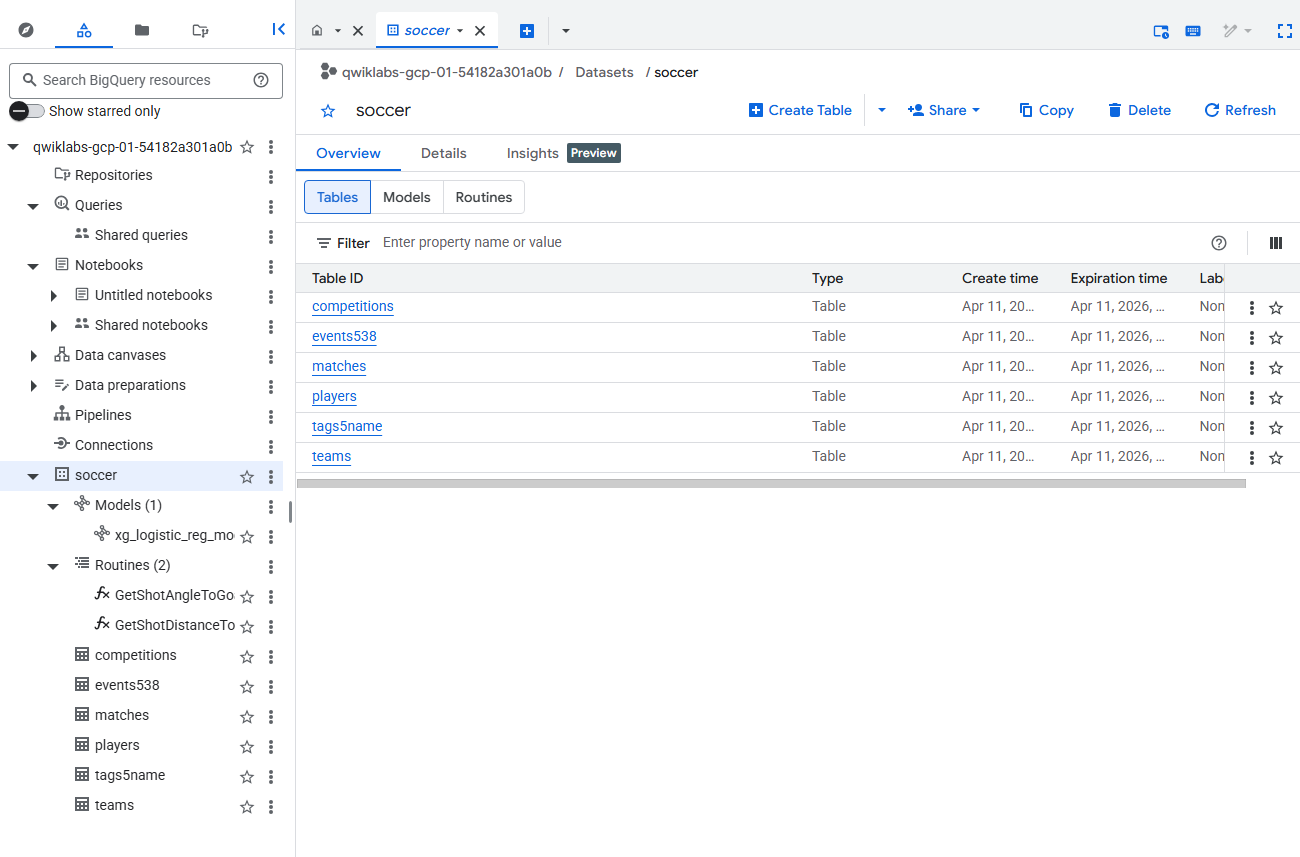
Everything we do will be on the Big Data.
Congratulations! Complete the lab.