
Link Lab: https://www.skills.google/course_templates/1241
In this lab we will act as Data Analyst to use Gemini's capabilities to help retail store to achieve thier goal for boosting retail strategy.
Challenge Scenario
Cymbal Direct: Boosting Cymbal Direct's Retail Strategy with Gemini
Cymbal Direct, the retail arm of Cymbal, wants to leverage the power of model_name to gain a competitive edge in the basketball sneaker market. They aim to analyze competitor pricing, understand customer preferences, and generate synthetic data for testing new ecommerce features. You, as a data analyst, are tasked with using Gemini's capabilities to help Cymbal Direct achieve these goals. This will involve:
Code Execution: Demonstrate the ability to execute Python code within
model_nameGrounding: Use grounding to enhance the accuracy and relevance of Gemini's responses to questions about retail products.
Controlled Generation: Retrieve information about basketball sneakers and their pricing from competitors using Google Search.
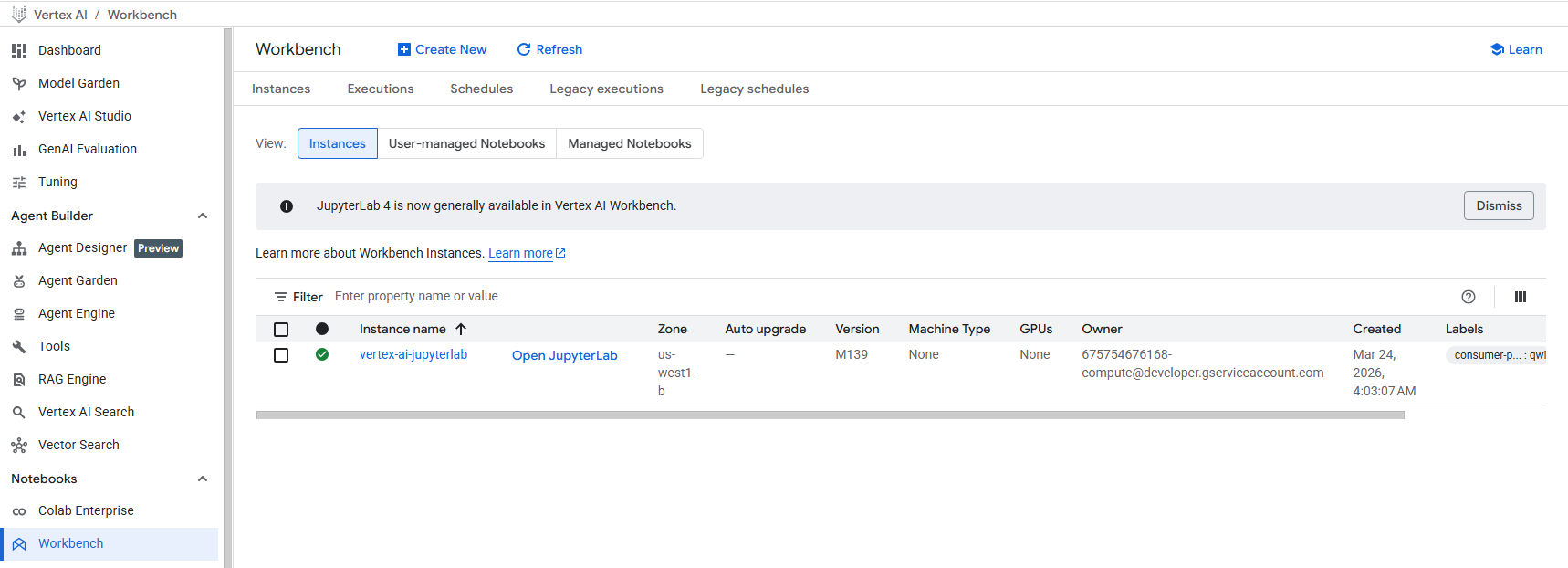
Task 1. Open the notebook in Vertex AI Workbench
Go to menu: Vertex AI > Workbench > OpenJupyterlab.
Or search Vertex AI or Workbench from search bar.
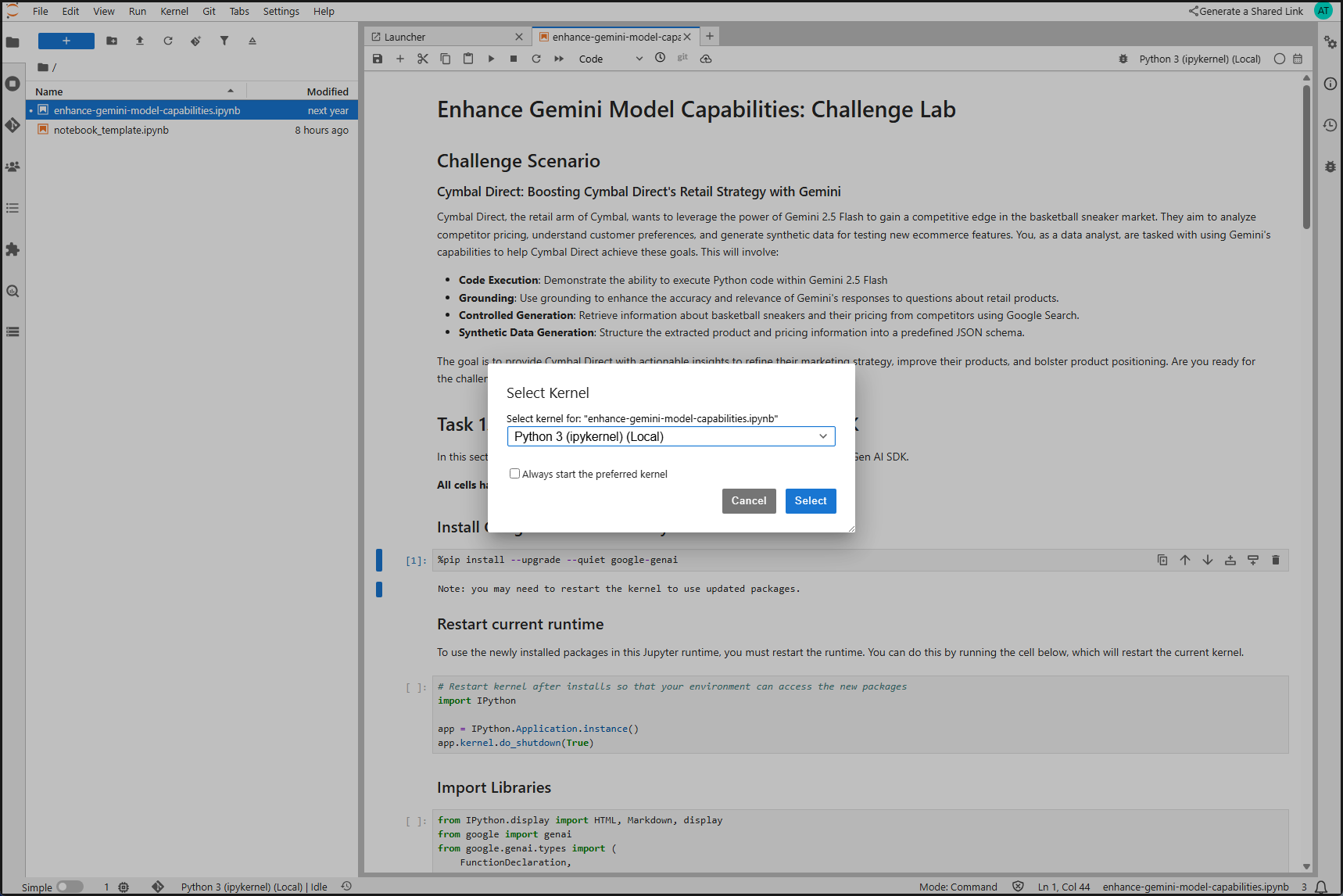
Open File enhance-gemini-model-capabilities.ipynb .
If Kernal Dialog opened, select Python 3.
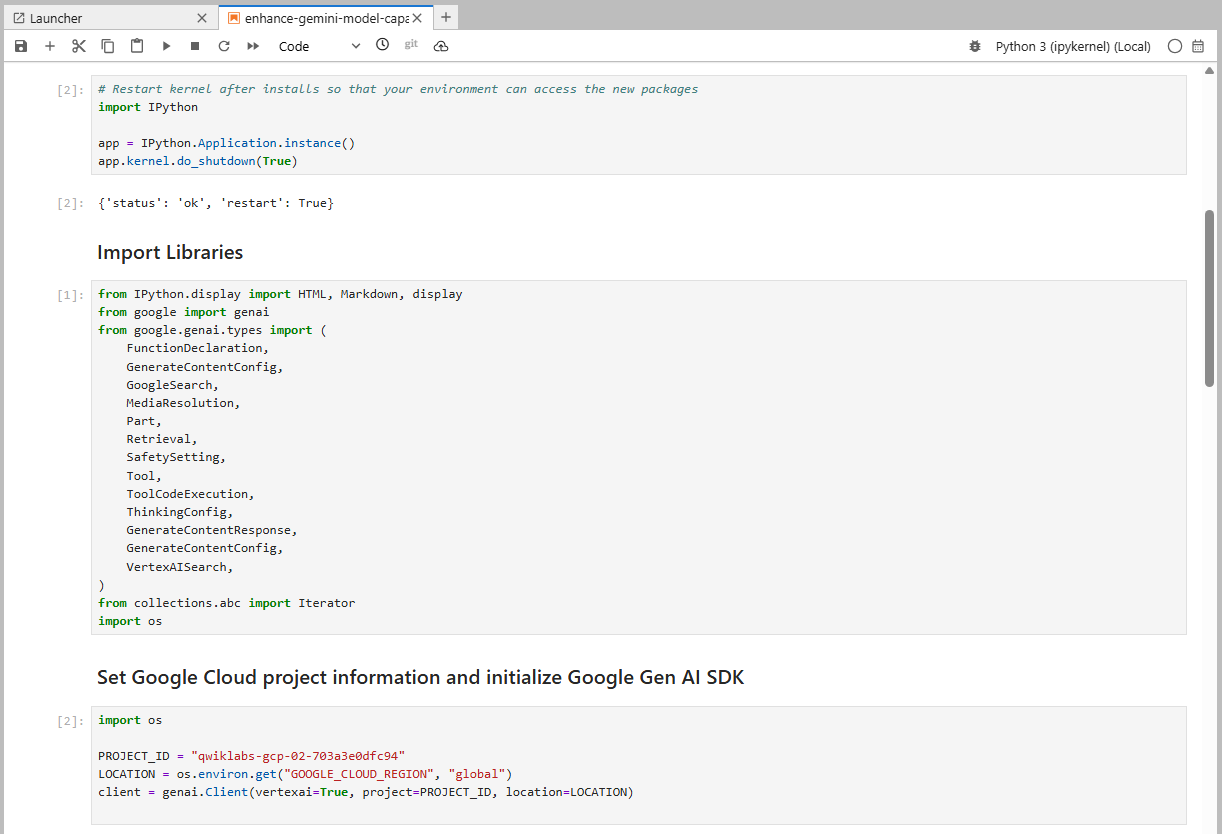
Run all cell in task 1 from Jupyter Notebook.
Task 2. Execute code with Gemini
Define Code Execution Tool for using gemini generate content.
# 1. Define the code execution tool
code_execution_tool = Tool(code_execution=ToolCodeExecution())
Set prompt for calculating average price of sneaker from the price list.
sneaker_prices = [120, 150, 110, 180, 135, 95, 210, 170, 140, 165]

# 2. Define the prompt with the code to be executed
PROMPT = f"""Use python to calculate the average price of the sneaker prices using data provided in the list:
{sneaker_prices}
Generate and run code for the calculation."""
Code example of Task 2.
from google.genai.types import GenerateContentConfig, Tool, ToolCodeExecution

# 1. Define the code execution tool
code_execution_tool = Tool(code_execution=ToolCodeExecution())

sneaker_prices = [120, 150, 110, 180, 135, 95, 210, 170, 140, 165]

# 2. Define the prompt with the code to be executed
PROMPT = f"""Use python to calculate the average price of the sneaker prices using data provided in the list:
{sneaker_prices}
Generate and run code for the calculation."""

response = client.models.generate_content(
    model=MODEL_ID,
    contents=PROMPT,
    config=GenerateContentConfig(
        tools=[code_execution_tool],
        temperature=0,
    ),
)
Run all cell in task 2 from Jupyter Notebook.
Task 3. Implement Grounding with Google Search
Use grounding with google search for improving accuracy and relevance of responsive from Gemini.
Define google search tool
# 1. Define the Google Search tool
google_search_tool = Tool(google_search=GoogleSearch())
Set prompt for search the key feature of Nike Air Jordan XXXVI
# 2. Define the prompt with grounding
prompt = f"""
Search the key features using "Nike Air Jordan XXXVI"
"""
Set google search tool for using with the prompt
# 3. Generate a response with grounding
response = client.models.generate_content(
    model=MODEL_ID,
    contents=prompt,
    config=GenerateContentConfig(
        tools=[google_search_tool],
        temperature=0,
    ),
)
Code example Task 3.
from google.genai.types import GenerateContentConfig, GoogleSearch, Tool

# 1. Define the Google Search tool
google_search_tool = Tool(google_search=GoogleSearch())

# 2. Define the prompt with grounding
prompt = f"""
Search the key features using "Nike Air Jordan XXXVI"
"""

# 3. Generate a response with grounding
response = client.models.generate_content(
    model=MODEL_ID,
    contents=prompt,
    config=GenerateContentConfig(
        tools=[google_search_tool],
        temperature=0,
    ),
)

# Print the response
print(response.text)
Run all cell in task 3 from Jupyter Notebook
Task 4. Extract Competitor Pricing and Structure Response with JSON Schema
We will use Gemini 2.5 Flash for retriving the information of basketball sneaker include price from competitor in JSON schema format result.
In # 5. in the cell, set prompt for find the price of provided model from the loop with the competitor name store. Include condition for setting price when price is zero to random a new price.
 # 5. Construct the search query
query = f"""
- Find the price of {model} in the {retailer}.
- If the price found is 0.00 return a random value between $50 and $200. DO NOT return 0.00.
"""
Set a result format schema json
config=GenerateContentConfig(
    response_schema = {
        "type": "object",
        "properties": {
                "answer": {
                    "type": "string",
                    "description": "The answer to the user's question."
                },
                "model": {
                    "type": "string",
                    "description": "The sneaker model."
                },
                "retailer": {
                    "type": "string",
                    "description": "The store name."
                },
                "price": {
                    "type": "number",
                    "description": "The price of the product."
                }
            },
        "required": ["model", "retailer", "price"]
    },
    response_mime_type="application/json"
)
Code example task 4.
from google.genai.types import GenerateContentConfig, GoogleSearch, Tool
from IPython.display import Markdown, display
import json

# 1. Define the basketball sneaker models
sneaker_models = ["Under Armour Curry Flow 9", "Sketchers Slip-ins: Glide-Step Pro"]

# 2. Define the online retailers
retailers = ["Foot Locker", "Nordstrom"]

# 3. Initialize an empty list to store the extracted data
extracted_data = []

# 4. Loop through the sneaker models and retailers to extract pricing information
for model in sneaker_models:
    for retailer in retailers:
        # 5. Construct the search query
        query = f"""
        - Find the price of {model} in the {retailer}.
        - If the price found is 0.00 return a random value between $50 and $200. DO NOT return 0.00.
        """

        # 6. Use Response Schema to extract the data
        response = client.models.generate_content(
            model=MODEL_ID,
            contents=query,
            config=GenerateContentConfig(
                response_schema = {
                    "type": "object",
                    "properties": {
                            "answer": {
                                "type": "string",
                                "description": "The answer to the user's question."
                            },
                            "model": {
                                "type": "string",
                                "description": "The sneaker model."
                            },
                            "retailer": {
                                "type": "string",
                                "description": "The store name."
                            },
                            "price": {
                              "type": "number",
                              "description": "The price of the product."
                            }
                        },
                    "required": ["model", "retailer", "price"]
                },
                response_mime_type="application/json"
            )
        )

        print(response.text)
Run all cell in task 4 from Jupyter Notebook
Completed, Check the result.